
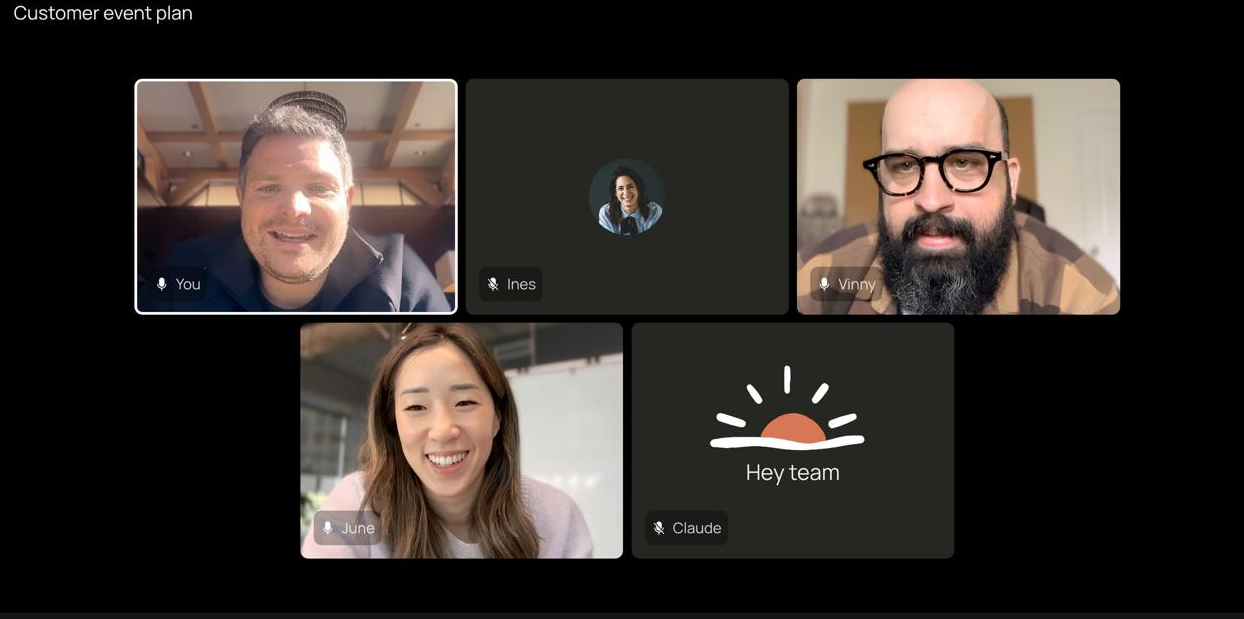
Anthropic has unveiled Claude Meetings — a new AI feature that allows the Claude assistant to join video conferences as a full participant. The AI can answer questions, create documents, work on shared whiteboards, take notes and generate to-do lists directly during the call. The beta version was launched on 12 November for corporate users on Team and Enterprise plans. For the time being, the service only works with Google Meet.
- Claude Meetings joins video conferences as a separate participant.
- Artificial intelligence creates documents, whiteboards, notes and to-do lists.
- The beta version is available to Team and Enterprise users on Google Meet.
- Notes and transcripts are included in the subscription at no extra cost.
Claude has become a full participant in work video conferences
Unlike standard tools for automatically scheduling meetings, Claude Meetings It is not limited to transcribing conversations. The assistant monitors the discussion and can carry out participants’ requests even before the call ends.
For example, when planning a corporate event, the team may ask Claude create a budget document, draw up a work schedule or set up an interactive whiteboard with tasks. Participants can edit the materials simultaneously whilst the meeting is in progress.
You can interact with the assistant using voice commands or via the Google Meet chat. By default, Claude responds in writing and asks for the user’s permission to access connected enterprise applications.
Once the conference has ended, all documents created, discussion notes, conclusions and tasks are automatically saved on a separate meeting page in Claude.
Anthropic has introduced restrictions on private meetings
Claude is clearly visible amongst the video call participants and indicates that he is present in the chat. The system saves a text transcript, summaries and descriptions of the screen, but not an audio recording of the conversation.
By default, the assistant does not join meetings with external guests and leaves the meeting if an external participant joins later. An organisation administrator can change these restrictions.
Anthropic It also recommends obtaining the prior consent of all participants before transcribing a conversation.
Who can use Claude Meetings and how much does it cost?
The new feature is gradually being rolled out to the Claude Team and Enterprise corporate plans. For Team users, it is enabled by default, whilst for Enterprise users, it must be enabled by an administrator.
During the beta testing of note-taking, transcriptions and standard assistant replies, there is no additional charge on top of your subscription. Documents, whiteboards and other materials created during meetings will remain free of charge until 10 February 2027.
At the same time, usage of connected corporate tools is counted towards the tariff’s usage limits.
At present, Claude Meetings only supports Google Meet. Anthropic plans to add other video conferencing platforms, but has not specified any dates for this expansion.