
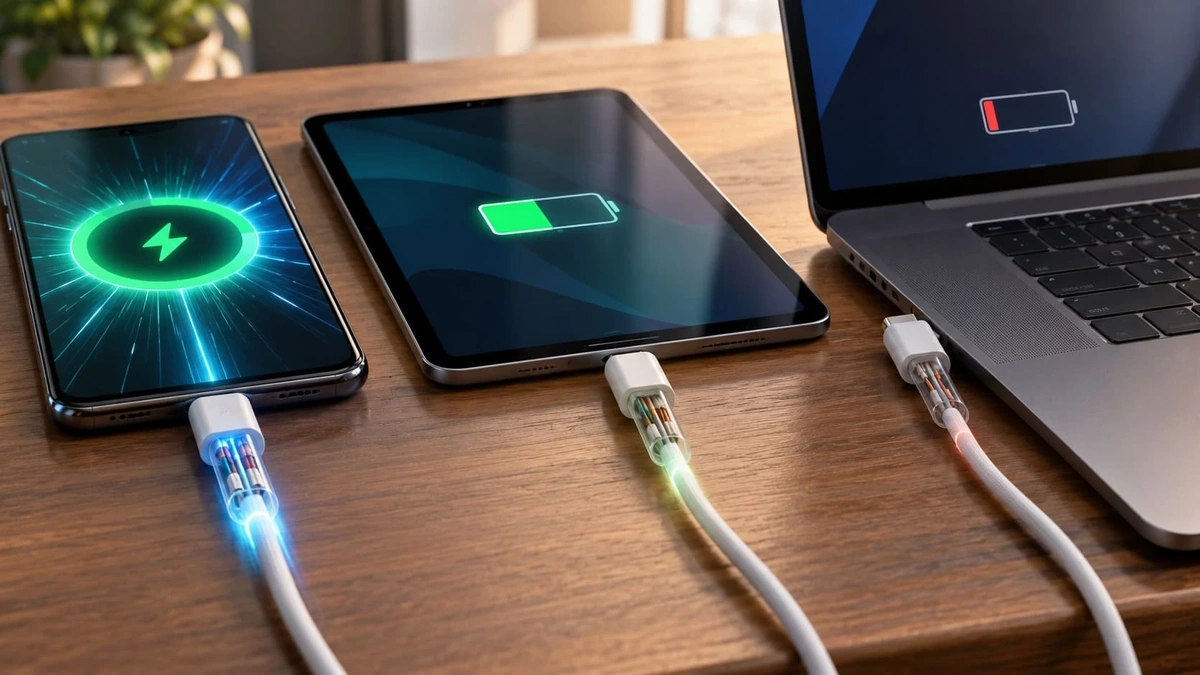
The smartphone supports fast charging, and the power adapter is in good working order, but after replacing the cable, the battery started charging noticeably more slowly. Sound familiar? The problem may lie with the cable itself, even if it looks exactly the same as the previous one.
The USB-C port has become commonplace in smartphones, tablets, laptops and other electronic devices. However, just because the plug is the same shape does not mean the technical capabilities are the same. The differences may relate to charging power, supported standards and even file transfer speeds.
Why USB-C does not guarantee fast charging
USB-C is, first and foremost, a type of physical connector. It determines how devices connect to one another, but does not set a single charging speed for all cables.
Let’s imagine a laptop that supports 65 W charging. Its power adaptor is also rated at 65 W. If you connect the device using a USB-C to USB-C cable that only supports 3 A, a maximum of 60 W can be transferred via it in standard USB Power Delivery mode at a voltage of up to 20 V.
The laptop will most likely continue to charge, but it will not be able to draw the full 65 W. When running resource-intensive programmes, the difference may become noticeable: the battery will charge more slowly and, in some cases, may even gradually discharge.
To deliver the full power output in this configuration, a compatible cable rated for 5 A is required.
At the same time, simply using a higher-wattage cable does not speed up the process in itself. If a smartphone only supports 25 W charging, a cable labelled 240 W will not force it to accept more power.
What do 60 W, 100 W and 240 W mean on the packaging?
Power rating is one of the key specifications of a cable, but the labelling on the packaging can sometimes confuse buyers.
60 W. These USB-C to USB-C cables are rated for a current of up to 3 A and are suitable for many smartphones, tablets and laptops with the relevant power requirements. At a voltage of 20 V, the maximum power output is 60 W.
100 W. This is a common marking for cables that support current transmission of up to 5 A at a voltage of 20 V. Such models are still sold and used, although the current USB-IF certification programme specifies a different marking.
240 W. Cables designed for USB Power Delivery Extended Power Range (EPR) can deliver up to 240 W at a voltage of 48 V and a current of 5 A. To use this mode, a compatible charger and electronic circuitry are required.
According to the USB Implementers Forum’s requirements, certified USB-C to USB-C cables must now be rated at 60W or 240W. This does not mean that all previously released 100W cables have stopped working or have become unsafe.
There is another point to bear in mind: not every cable labelled ‘240W’ has necessarily undergone independent USB-IF certification. That is why it is important to distinguish between the specifications claimed by the manufacturer and the presence of an official certification mark.
Why is a microchip installed inside the cable?
USB-C cables designed to handle a current of 5 A use an E-Marker.
It is a small microchip that provides connected equipment with information about the cable’s specifications. In particular, it enables you to determine whether the cable supports higher current ratings.
If there is no corresponding confirmation, USB Power Delivery-compatible devices must not enter 5 A delivery mode.
The E-Marker does not make charging any faster on its own. Its purpose is to provide the equipment with the information needed to select the correct power mode.
For the user, this means that even a cable with high-quality connectors and thick braiding will not necessarily provide the power the laptop needs.
Why does a smartphone not always use the full power of the charger?
Let’s say the phone supports 25 W fast charging, whilst the charger is rated at 65 W. It would seem that there is more than enough power. However, the actual power output may turn out to be lower.
The cause is often linked to charging protocols.
USB Power Delivery enables the charger and the device to coordinate their power settings. One of its features is PPS (Programmable Power Supply), which allows for flexible regulation of voltage and current in line with the device’s requirements.
Some smartphones use PPS to achieve maximum charging power. If the charger does not support the required mode, the phone may switch to a slower option, even though the power supply’s output technically exceeds the phone’s requirements.
In addition, some manufacturers use their own fast-charging technologies, which require a specific combination of adapter and cable.
So, buying a charger based solely on the wattage stated on the casing isn’t the best idea. You need to check that the standards are compatible.
Do the length and quality of the cable affect charging?
Yes, especially when a significant current is flowing through the cable.
Every conductor has electrical resistance. The longer the cable and the smaller the cross-sectional area of its conductors, all other things being equal, the greater the voltage losses may be.
In practice, this means that a long cable with conductors of insufficient cross-sectional area may heat up and transmit energy less efficiently.
However, a short cable is not necessarily better than a long one. A high-quality two-metre model, designed to handle the relevant load, is capable of performing more reliably than a cheap, short cable with unknown specifications.
The outer fabric sheathing does not indicate the permissible power rating either. Whilst it may protect the cable from mechanical damage, it is no substitute for a properly designed cable with suitable conductors and connectors.
A single cable can charge quickly but transfer files slowly
Data transfer speed and maximum charging power are independent specifications.
For example, a USB-C to USB-C cable supporting 240 W can only transfer data in accordance with the USB 2.0 standard, i.e. at a theoretical speed of up to 480 Mbit/s.
This is more than enough to charge a smartphone. However, copying large video files to an external SSD via this cable may take considerably longer than using a model that supports USB 10Gbps or USB 20Gbps.
The situation is similar with monitors. The presence of two USB-C ports does not in itself guarantee the ability to transmit a video signal. The cable, computer and display must all support the relevant connection mode.
So, a cable that looks versatile is not always versatile in terms of its capabilities.
How to choose a cable without paying over the odds
First, you need to decide exactly what the cable will be used for.
For everyday smartphone charging, a high-quality 60 W USB-C to USB-C cable is often sufficient, provided it is compatible with the device’s charging technology.
For a laptop with a 65, 90 or 100 W adaptor, you should check the permissible current and ensure that the cable is suitable for the required power mode. If the device uses USB PD EPR, you will need a cable that supports this standard.
When comparing charging cables, it is worth checking the type of connectors on both ends, the maximum power rating, the length and the data transfer capabilities. The ratings 5 A, 100 W or 240 W are only meaningful when considered in conjunction with the specifications of the devices to which the cable is to be connected.
If the cable is required for an external storage device or a monitor, the data transfer speed and video support must be checked separately.
How can you tell if the cable is limiting the charging rate?
The simplest way to check is to connect the same smartphone or laptop to the same adapter, but use a different cable that you know is in good working order and has the correct specifications.
If the charging power changes significantly, the cable may be the cause of the limitation.
USB-C testers that measure voltage, current and power provide more accurate readings. However, they must also support the relevant USB PD modes and must not limit the charging process themselves.
When carrying out the test, you should take the battery charge level into account. The phone may draw a high amount of power at the start of the process and gradually reduce this as the battery recharges. This is normal behaviour of the power management system.
Temperature is also a factor. If the battery has become hot, the device may limit the current regardless of the capabilities of the adapter and cable.
However, a loose connection, regular interruptions to charging, damaged insulation or excessive heating of the connector are all reasons to stop using the accessory.
Do you need a 240 W cable for a standard smartphone?
In most cases, no. If your phone doesn’t require that much power, buying a 240 W cable won’t reduce the charging time.
However, a model with a power reserve can be useful when a single cable is used to power several devices: a smartphone, a tablet and a laptop.
The main thing is not to confuse the cable’s maximum power rating with the actual charging speed. The latter is determined by the capabilities of the entire system, not by a single accessory.
USB-C has certainly made modern electronics easier to use, but behind the identical connectors lie quite a few differences. Checking a few technical specifications before buying will help you avoid a situation where a new cable works but does not deliver the expected result.