
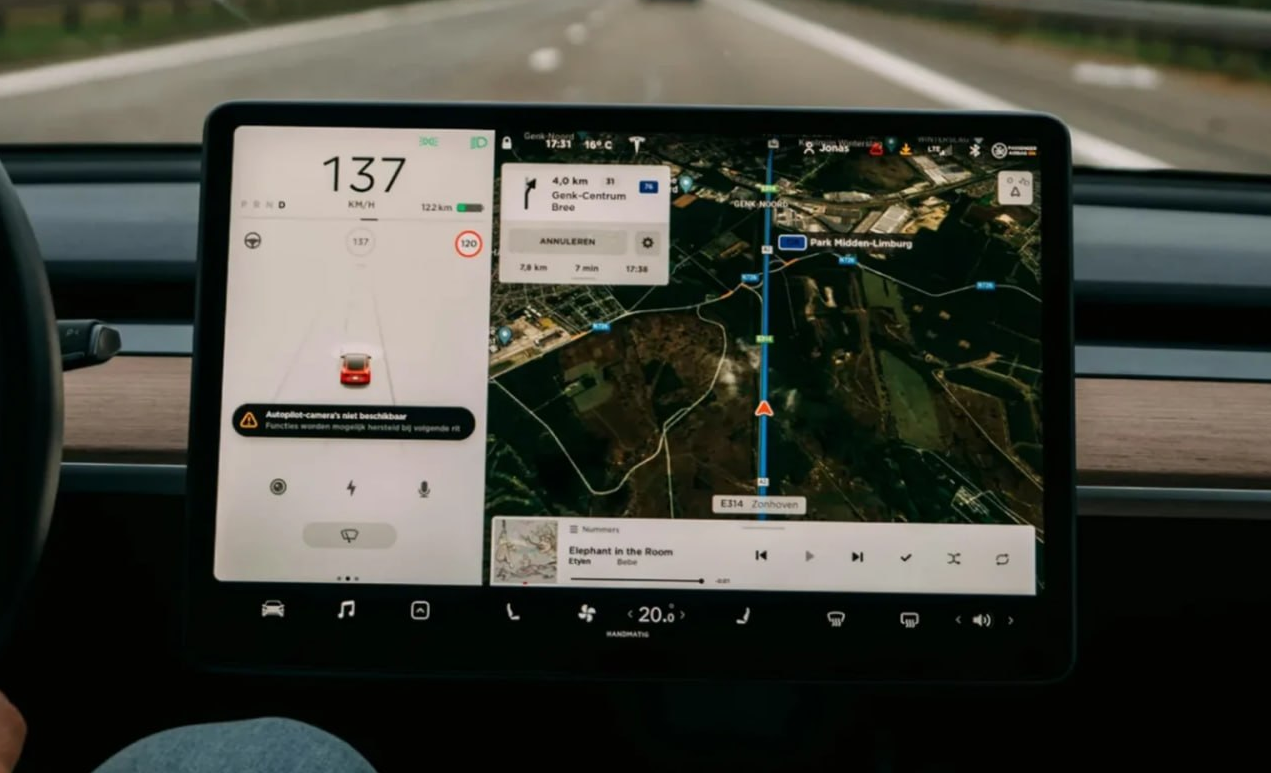
Google has begun rolling out a major update to Google Maps for Android Auto. Information that previously tended to appear only once navigation had started will now remain on the car’s screen even during a normal journey without a set destination. Drivers will be able to see their current speed, the speed limit, as well as traffic lights and STOP signs.
- Google Maps is getting a new mode on Android Auto that doesn’t require an active route.
- The car’s display will constantly show your current speed.
- Google Maps will also display the permitted speed limit.
- Traffic lights and STOP signs will remain on the map.
- The update is being rolled out gradually and is not yet available to all users.
Google Maps will be even more useful, even without navigation
The main change is that drivers will no longer need to plot a route each time to receive basic traffic information on the Android Auto display.
Once updated, Google Maps will effectively function as a permanent information map. Even if a driver knows the way home well, is travelling to work via their usual route, or is simply driving around town without a specific destination, the screen will continue to display the vehicle’s current speed and the speed limit on this stretch of road.
Previously, this information in Android Auto was largely linked to active navigation. As a result, users had to enter a destination in order to view all the data, even when they did not actually need voice prompts or a route.
Google is now gradually removing this restriction.
Speed limits and traffic lights will be constantly in view
One of the key innovations will be a permanent Google Maps digital speedometer. It displays the vehicle’s current speed, calculated using data from the smartphone. A sign showing the maximum speed limit on that particular road may be displayed alongside it. This means the driver does not need to launch a full navigation app just to keep an eye on the speed limit.
In addition, Google. confirmed that, without a specified destination, they may remain accessible traffic light and STOP sign markings. It is precisely these features, together with the speedometer and speed limits, that are currently being rolled out worldwide.
This feature is particularly useful during short daily journeys, when the driver knows the route and doesn’t need Google Maps’ voice directions, but wants to see up-to-date traffic information.
Why did the speedometer previously disappear for some users?
The update also explains the confusion that arose amongst Android Auto users in early September.
Some drivers reported that, following an update to Google Maps, their speedometer, speed limits, traffic lights and other map features had suddenly disappeared. At first, it looked like a bug or a rollback of a feature.
Google has explained that there are two distinct phases of roll-out. The speedometer for Android Auto itself began to appear more widely as early as the summer of 2026, but the mode in which it operates without an active route, is deployed separately.
Consequently, for some Google Maps users, all this information may now be displayed as soon as Android Auto is launched, whilst for others it will only appear once a destination has been selected.
Not everyone will receive the update at the same time
Google has not specified a particular date when the new mode will become available to all Android Auto users.
The company is rolling out the feature to servers in phases. As a result, the availability of the feature may depend not only on the version of Google Maps or Android Auto, but also on the specific account, region and phase of the roll-out.
An Android spokesperson has confirmed that the ability to constantly see Speedometers, speed limits, traffic lights and STOP signs, without a specified destination, are still being shared amongst users.
So if, after updating Google Maps, the new figures do not appear without a route, this does not necessarily mean there is a problem with your smartphone or car.
And what about speed cameras?
Google Maps already offers alerts for traffic incidents and speed cameras in supported countries, but In its confirmation of this particular update, Google specifically mentions the speedometer, speed limits, traffic lights and STOP signs. Speed cameras are not currently included in the officially confirmed list of the new «no-route» feature.
It would therefore be premature to claim that, following this update, the cameras will definitely be displayed without a route shown in all countries. Their availability may depend on the region and the Google Maps features supported there.
For Android Auto users, the change is still significant: Google Maps is gradually evolving from a sat-nav that needs to be launched each time with a specific address into a permanent in-car display showing key traffic information.