
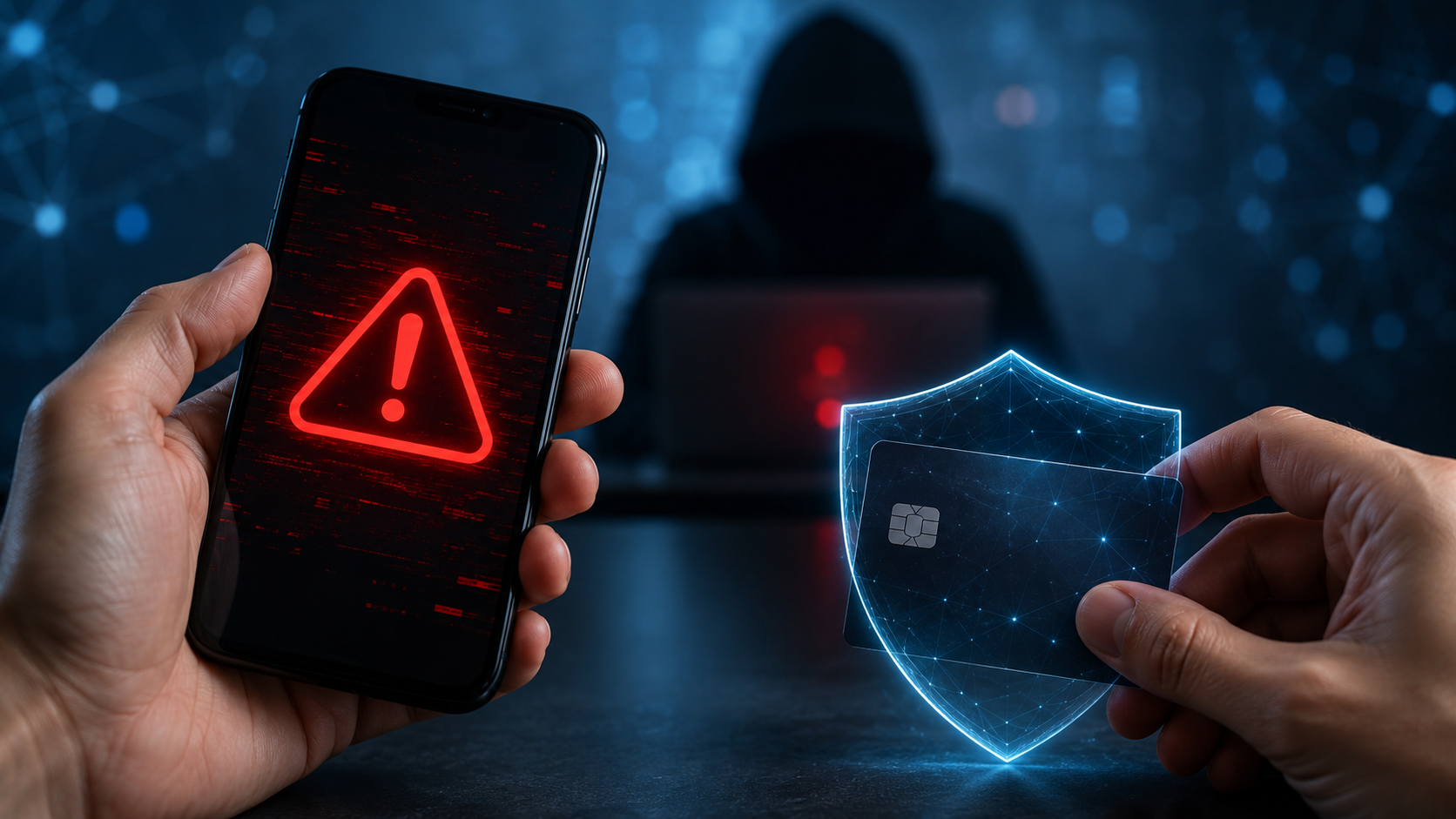
Online fraud is increasingly less likely to appear as an obvious scam. Criminals copy the websites of banks and government organisations, make calls from spoofed numbers, create convincing adverts and gain control of the accounts of the victim’s acquaintances. To make their schemes more convincing, they use genuine logos, photographs, company names and even AI-generated human voices. According to the National Bank of Ukraine’s educational portal, 83% of the recorded cases of payment fraud in 2025 took place online. Social engineering remains the most common method: people are persuaded to transfer funds themselves, disclose a verification code or install an app that grants access to their phone.
Briefly about the main points
- Bank staff will never ask for your PIN, CVV, online banking password or the code from an SMS.
- You do not need to click on the link or enter all your card details to receive the transfer.
- Do not transfer money to «secure», «reserve» or «temporary» accounts.
- Do not install programmes at the request of someone who has called you out of the blue.
- If your card details have already been compromised, block the card immediately and contact your bank.
- Keep a record of your correspondence, phone numbers, links, receipts and screenshots so that you can report the matter to the Cyber Police.
How online fraud works
To steal money, a fraudster does not always need to breach the bank’s security. Often, it is enough to persuade the account holder to carry out the necessary actions themselves: to quote a code from a message, confirm a transaction, visit a fake website or install a remote access programme.
Criminals usually try to obtain:
- bank card details;
- your mobile or online banking password;
- one-time verification code;
- control over the financial telephone number;
- access to email or a messaging app;
- photographs of documents;
- the ability to control your smartphone remotely;
- a direct transfer to a government-controlled account.
Most scams rely on psychological pressure. The victim is threatened with having their card blocked, told that a loan has allegedly been taken out in their name, promised a payout, or asked to help a relative urgently. The main aim is to ensure the victim has no time to check the facts.
Detailed payment security rules compiled as part of the National Bank of Ukraine’s «FraudGoodbye» information campaign.
15 common online scams
1. A call from the «bank’s security department»
A person receives a call purporting to be from a bank, informing them of a suspicious transaction, an attempted withdrawal or a loan application. To «cancel» the transaction, they are asked to provide their card number, expiry date, CVV, the code from an SMS or the password for their banking app.
A genuine bank employee does not need this information. If a call seems suspicious, you should hang up and ring the bank yourself using the number shown on your card or in the official app.
2. Transfer to a «secure account»
The fraudster claims that the customer’s money is allegedly at risk. To safeguard it, they suggest transferring the funds to a «secure», «insurance», «reserve» or «temporary» account.
Banks do not protect their customers’ funds in this way. The account to which they are asking you to make the transfer belongs to a fraudster or a front man.
It is particularly dangerous when the caller does not allow you to end the call and directs the victim’s actions at an ATM or within a banking app. In such a situation, you should end the call and not transfer any money.
3. Phishing websites of banks and government bodies
Phishing — involves creating a fake webpage that looks like the website of a bank, postal service, online marketplace or government service. Links are shared via text message, email, adverts, Telegram, Viber and social media.
On the page, users are asked to log in, claim a payment, verify their identity or pay a small amount. Any usernames, passwords and card details entered are immediately sent to the fraudsters.
The presence of a padlock icon and https does not prove that the website is genuine. You need to check the exact spelling of the domain: fraudsters may swap a single letter, add a hyphen or use a similar address.
4. Fake delivery on classifieds websites
The fraudster contacts the seller and offers to arrange delivery. They then send a link purportedly for payment. The fake page asks the user to enter their card number, expiry date, CVV or account balance.
You do not need to enter your CVV, bank password or SMS code to receive a transfer. All delivery-related actions should only be carried out via the official website or app of the marketplace.
It is also risky to switch from the platform to a third-party messaging service, especially if the buyer insists that the transaction is urgent.
5. Fake social security payments and financial assistance
Messages are being shared on social media about state benefits, international organisations, banks or charitable foundations. To receive the money, users are asked to follow a link, complete a «survey» and enter their bank details.
Information about government payments should be checked on the official website of the relevant authority or via the «Diya» app. Government bodies do not require a CVV, PIN or online banking password to process your benefit payment.
6. A message from a friend’s hacked account
Fraudsters gain access to Telegram, Viber, Facebook or Instagram and message the account holder’s contacts. Most often, they ask for an urgent loan, to vote for a child in a competition, to support a petition or to click on a link.
Even if the message is from someone close to you, you should verify the request in another way: by phoning them or asking a question that only they know the answer to.
You should not click on links to «vote» or «sign a petition» if the page asks you to log in to the messaging app again.
7. Theft of a financial telephone number
The financial number is used to receive bank notifications and verification codes. Fraudsters may attempt to have the SIM card reissued or persuade the owner to disclose their mobile network operator’s code.
One of the current scams involves a message claiming that a SIM card has expired. In February 2026, The cyber police had warned about fake Telegram accounts masquerading as mobile network operators.
If your SIM card suddenly stops working for no apparent reason, you should contact your mobile network operator and your bank immediately. This could be a sign that your number has been reissued without your authorisation.
8. A fake banking app or remote access
A fake bank employee may tell you that the old app no longer works and suggest you install an «updated version». In reality, the file contains malware.
Another option is to ask the victim to install a remote screen-access programme. Once this is done, the fraudster can see banking notifications and keystrokes, and can control the smartphone.
Banking apps should only be downloaded from official app stores. Bank staff do not ask you to install apps for remote control of your phone.
9. Pseudo-investments and fraudulent crypto platforms
In adverts or messaging apps, people are promised a guaranteed return on cryptocurrency, shares, oil or an automated trading bot. After making a small initial deposit, a profit may appear in your account, but these figures are not backed up by actual transactions.
To withdraw funds, the fraudsters demand further payments: a «tax», a «commission», a «security deposit» or a verification fee. Once the money has been transferred, it is not returned.
Signs of fraud include guaranteed returns, pressure to top up your account urgently, a lack of verified legal information, and requests to install remote access software.
10. Fake jobs and «renting» bank cards
Under the guise of remote work, people are offered the chance to accept payments into their own bank accounts, transfer them to other individuals or withdraw cash in exchange for a fee. In this way, the cardholder can be turned into a «money mule» or ‘drop’.
Such accounts are used to move stolen funds and for other illegal transactions. Participation in such a scheme may result in accounts being frozen and criminal liability.
The cyber police advise against handing over your card or bank account details to other people and to turn down job offers that require you to carry out financial transactions on behalf of others. If you find yourself accidentally involved in such a scheme, you should contact the Cyber Police and notify the bank.
11. A product that is not available in the online shop
Fraudsters set up online shop pages featuring attractive prices, a large number of followers and fake reviews. Once full payment has been made in advance, the seller stops responding or sends goods that do not match the description.
Before making a purchase, it is worth checking the date the page was created, the seller’s contact details, independent reviews and the returns policy. A very low price, a refusal to accept cash on delivery and a request to transfer money to a private individual’s bank card all increase the risk of fraud.
A screenshot of the seller’s passport does not guarantee a secure transaction: the document may have been stolen or forged.
12. Fake charity collections
Fraudsters copy photographs of injured people, children, soldiers or animals and create emotional posts featuring their own bank details. Sometimes they replicate a genuine fundraising campaign, changing only the card number or the link to the bank.
Before making a donation, you should check the organiser of the fundraiser, the page’s history, reports on previous aid, the original source of the photographs and the recipient’s bank details. For large sums, it is safer to use official charities and verified initiatives.
Particular caution is required when dealing with requests to pay for the «release of a prisoner», the search for a missing serviceman, or the expediting of government procedures.
13. A loan taken out using someone else’s documents
Once they have obtained photographs of a passport, an identification number, access to a SIM card and an email address, fraudsters may attempt to take out an online loan in someone else’s name.
You should not send full copies of documents to unknown employers, buyers or landlords. If a copy is required for a specific legal procedure, you may include the date, the name of the organisation and the purpose for which it is being provided on the copy.
If a person discovers an unknown loan, they should contact the lender, report the matter to the police, check their credit history and contest the debt. If necessary, they can also lodge a complaint with the National Bank.
14. Romantic fraud
The fraudster gets to know the victim on a social media platform or a dating app, gradually builds a relationship of trust, and then asks for money. The reason given may be an illness, a frozen bank account, the cost of travelling to Ukraine, problems at customs, or an urgent request to help a relative.
A scammer may keep in touch for months, using other people’s photos. Refusing to video call, constantly invoking dramatic circumstances and asking for money transfers are serious warning signs.
15. A voice or video forged using AI
Artificial intelligence makes it possible to mimic a person’s voice using a short audio recording, as well as to create fake videos. A fraudster may ring pretending to be a relative, a manager or an acquaintance and ask you to transfer money urgently.
To protect yourself, it is advisable to ring the person back on a number you recognise or ask them a personal question. Within the family, you can also agree on a code word in advance to confirm their identity in an emergency.
Signs that help you spot a fraudster
Although individual schemes differ, most of them share certain characteristics:
- people are forced to act immediately;
- threaten to block the card or face criminal charges;
- promise a guaranteed profit or an unexpected payout;
- ask you to keep the conversation confidential from relatives or bank staff;
- require a code from an SMS, a CVV, a PIN or a password;
- send a link to «receive» money;
- ask you to install an unknown programme;
- are moving their conversations from the official platform to a messaging app;
- do not allow the call to be ended;
- ask you to transfer funds to an individual’s bank card;
- they attribute the errors on the website to «maintenance work»;
- are demanding further payments in order to get back money that has already been paid.
A combination of urgency, fear and the demand to conceal something almost always indicates an attempt at manipulation.
What information must not be disclosed to third parties
Under no circumstances should you pass on:
- Card PIN;
- CVV or CVC — the three digits on the back of the card;
- password for the banking app;
- one-off codes from SMS or push notifications;
- mobile network operator code for replacing a SIM card;
- the bank’s code word;
- a photograph of both sides of the card;
- email login details;
- two-factor authentication backup codes;
- codes or passwords for remote access programmes.
For a standard transfer, all you need is the card number or IBAN. The recipient does not need to provide the card’s expiry date, CVV, account balance or confirmation code.
What to do in the first 15 minutes after falling victim to fraud
Speed is of the essence. Panicking and trying to sort things out with the scammer yourself will only waste time.
The first two minutes: break off contact
Do not follow any new instructions or send any further money. End the call, close the suspicious website and do not delete the correspondence.
If you have a remote access app installed on your phone, disconnect the device from the internet. Use another, secure device to change your passwords.
From the second to the fifth minute: block access to the money
Via the bank’s official app or contact centre:
- block the card;
- please let us know about fraud;
- ask for your online banking to be blocked if you have shared your password;
- check your recent transactions;
- change the limits or temporarily block accounts;
- Please check whether it is possible to stop or dispute the payment.
You should only call the number listed on the official website, in the app or on the back of the card.
From the fifth to the tenth minute: protect your accounts
First of all, change your email password, as this can be used to regain access to other services. After that, change your passwords for online banking, social media and messaging apps.
You will also need:
- close all active sessions;
- enable two-factor authentication;
- delete unknown devices;
- check your address and phone number to recover your account;
- block contacts if messages might have been sent on your behalf.
If your SIM card has stopped working, contact your mobile operator immediately and let them know that your number may need to be reissued.
From the 10th to the 15th minute: preserve the evidence
Take some screenshots:
- correspondence;
- listings or shop pages;
- website addresses;
- telephone numbers;
- the fraudster’s profile;
- the payee’s details;
- transfer receipts;
- bank statements;
- the names of the installed programmes.
Please do not edit the images or delete the original messages. The bank and the police may need this information.
Is it possible to get a refund for money transferred to fraudsters?
Refunds depend on the payment method, how quickly the request is made, the status of the transaction and whether the recipient’s account can be identified. It is not possible to guarantee a refund.
If the transfer is still being processed, the bank may sometimes be able to stop the transaction in time. For card purchases, there may be procedures for disputing a payment, but these do not apply automatically in every situation.
If a person has personally authorised a standard card-to-card transfer, it is more difficult to reverse it. However, you must contact your bank in any case: they can flag the transaction as fraudulent, contact the recipient’s bank and pass on the information to the police in accordance with the established procedure.
You should not trust people who, after you have lost money, promise to get it back for a fee. This may be a repeat scam targeting the very same victims.
How to improve the security of your bank card and accounts
It is impossible to eliminate the risk entirely, but the basic settings make it much more difficult for fraudsters to operate.
Set limits and alerts
Set up notifications for all transactions and set limits on:
- card transfers;
- online payment;
- cash withdrawal;
- operations abroad.
When shopping online, it’s handy to use a separate virtual card and top it up only just before making a payment.
Use different passwords
Your email password should not be the same as your online banking, social media or online shop passwords. You can use a password manager to store complex combinations.
Two-factor authentication should be enabled wherever it is available. Where possible, it is better to use an authentication app or a security key rather than just SMS.
Protect your financial number
Register the number with your mobile operator in your own name, set a separate password for your account, and do not share your operator’s verification codes with anyone.
Do not use your bank account number in public adverts or on social media if you can set up a separate contact for this purpose.
Check the information via a separate channel
If the bank calls you, end the call and ring them back yourself. If a friend messages you, ring them back. If you receive a message about a payment, open the official website manually, rather than via the link you’ve been sent.
It is independent verification that most often thwarts a fraudulent scheme.
Where to report fraud
If fraudsters have obtained your card details or money, the first thing you should do is contact your bank.
You can report a cybercrime via the official uniform of the Cyber Police. In the event of an immediate threat, a demand for money or a crime taking place at this very moment, you should call 102.
It is also worth noting that:
- mobile network operator — if there is a risk of number hijacking;
- the administrators of a social network or messaging app;
- the trading platform on which the transaction took place;
- the owner of the original service, whose website has been copied;
- the recipient’s bank — via their own bank or the police.
Frequently Asked Questions
Can a bank employee ask for the CVV or a code from an SMS?
No. A bank employee does not need your CVV, PIN, online banking password or one-off verification code. If the person you are speaking to asks for this information, you should end the call.
Is it safe to give out my card number?
To receive a standard bank transfer, a 16-digit card number or IBAN is usually sufficient. You must not provide the expiry date, CVV, PIN, bank password or any codes from text messages along with this information.
What should you do if you’ve clicked on a suspicious link?
If you have simply opened the page and have not entered any details or downloaded anything, close it. If you have entered your password, change it immediately on the genuine website and log out of all active sessions. If you have entered your card details, block your card via your bank.
What should I do if I’ve installed a programme at the scammer’s request?
Disconnect your phone from the internet and contact your bank using another device. Block your cards and access to online banking. Once you have saved the necessary evidence, delete the suspicious app and check your device.
Can money that has been transferred voluntarily be reclaimed?
Sometimes this is possible, but there are no guarantees. You need to notify the bank as soon as possible, keep the receipt and report the matter to the police. The more time that has passed, the harder it is to stop the funds from being transferred.
Can you trust a number that is displayed as a bank account number?
Not always. Number spoofing technology allows the name or telephone number of the genuine organisation to be displayed on the screen. The safest thing to do is to end the call and dial the bank’s official number yourself.
Can someone steal money just by knowing a phone number?
A phone number on its own does not usually grant access to an account. The risk arises if a fraudster gains control of a SIM card, verification codes, an email address or an online banking password.
How do you check an online shop?
Check the website address, contact details, return policy, the date the page was created, and reviews on independent websites. Do not pay for goods simply because the seller is offering a discount for immediate payment in advance.
The golden rule: stop and check
Online fraud relies not only on technology, but also on haste, fear and trust. The fraudster tries to create a situation in which a person will act before they think.
If you are being intimidated, pressured, promised easy money or asked to disclose confidential information, you should end the conversation. A few minutes spent phoning your bank, a relative or a government agency could save you money and help you retain control over your personal accounts.