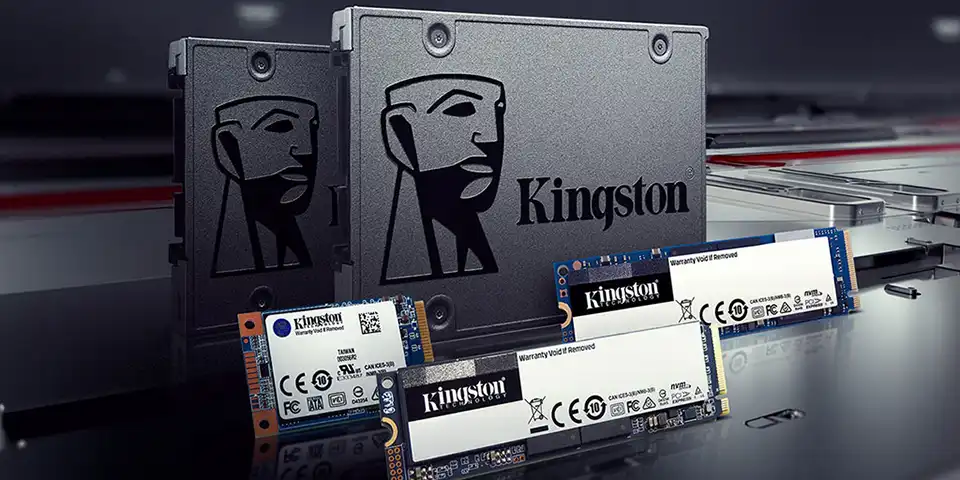
The box for one SSD says 550 MB/s, whilst the other says several thousand. It seems as though the second game would load many times faster. But in reality, it’s more complicated than that: the sequential speed advertised only measures one type of drive operation. Games have to read lots of different files, and start-up times also depend on the processor and the game itself.
What lies behind the terms SATA and NVMe
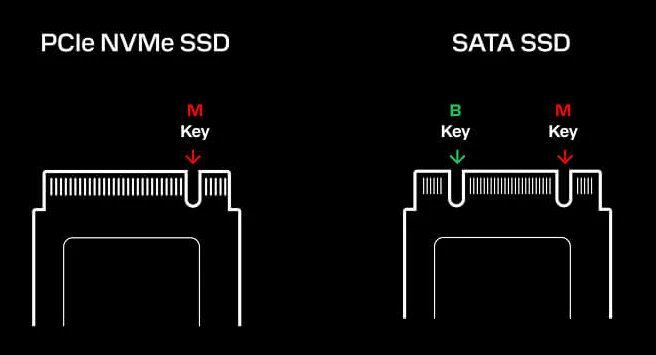
SATA is an older method of connecting SSDs, which limits bandwidth to approximately six hundred megabytes per second. NVMe operates via PCIe and transfers data much faster. However, the M.2 form factor does not in itself imply NVMe: there are also M.2 drives that use SATA. Before buying, check your motherboard’s specifications, as not every type of drive is supported by every slot.
If you’re putting together a new gaming PC, it would make sense to start by considering the amount of memory. Modern games quickly fill up your hard drive, so 1 terabyte SSD It often offers more flexibility than a smaller model boasting record-breaking speeds on the label. Leave some space for the operating system, updates and a few large games that you want to keep installed at the same time. Before making your choice, check how much space your specific games take up. Some games grow in size after updates, and temporary files created during installation require additional space.
Will you notice a difference in the game?
The difference when switching from a hard drive to any fully functional SSD is usually noticeable: the system and applications open faster, and data loading is less of a hindrance. The difference between SATA SSDs and NVMe drives depends on the game. In some games, the difference is noticeable; in others, it is significantly less than the specified speeds would suggest.
A faster storage drive on its own won’t boost your average FPS, which is determined primarily by the graphics card and the processor. Check the benchmark results in your own games.
To avoid paying more than you need to, go through the following questions:
- Is there a free M.2 slot on the motherboard that supports the required NVMe?
- How many games do you actually have installed at any one time?
- Do the tests compare game load times, rather than just large files?
- Do you need a hard drive for video editing and frequent data copying?
- Is there enough space inside the case if you choose a 2.5-inch SATA SSD?
The answers usually provide enough guidance. When an NVMe slot is available and the price difference is small, opting for such a drive usually makes sense. If you’re upgrading an older PC without a compatible slot, a SATA SSD is still a good choice after an HDD.
When is a fast NVMe SSD actually useful?
For large projects that actively load data, a fast drive can help with transitions between locations. Technologies such as DirectStorage are also becoming increasingly important, but their benefits depend on how they are implemented in a particular game. For those who also edit videos or regularly transfer large files, the high speed of NVMe is more noticeable than in a standard game menu.
You shouldn’t automatically go for the most expensive PCIe 5.0. The achievable speed depends on the motherboard and the processor, and when playing games on a day-to-day basis, a more expensive interface doesn’t guarantee a proportional performance gain. Look at the benchmarks for your chosen model, the warranty and its stability under sustained load. Also bear in mind cooling: some high-speed drives heat up under load, so a heatsink for the card or drive may be useful.
Which SSD should I choose?
For a new build with a compatible NVMe board, this is usually the most convenient choice: no cables, with plenty of speed to spare. For an older computer or a second SATA drive, it remains a perfectly sensible solution. And if you’re on a tight budget, sufficient storage capacity is often more important than a record-breaking score in a synthetic benchmark.
By the way, in the online computer shop LuckyLink You can choose high-quality SSDs based on their interface, capacity and form factor. Before placing an order, check these specifications against your motherboard: it is compatibility and your intended use that will determine whether you make a good purchase.