The till is almost as visible to customers as a shop window, but it’s certainly not there just for show. Available from the EServer online shop POS – monitor It is worth judging not only by its slim bezel or neat stand, but also by whether it can withstand daily wear and tear, dust, the hustle and bustle, and changes in staff. A good screen at the till is nice to look at, but a poor viewing angle or a weak touch sensor quickly ruins the whole experience.
Design starts with the workplace
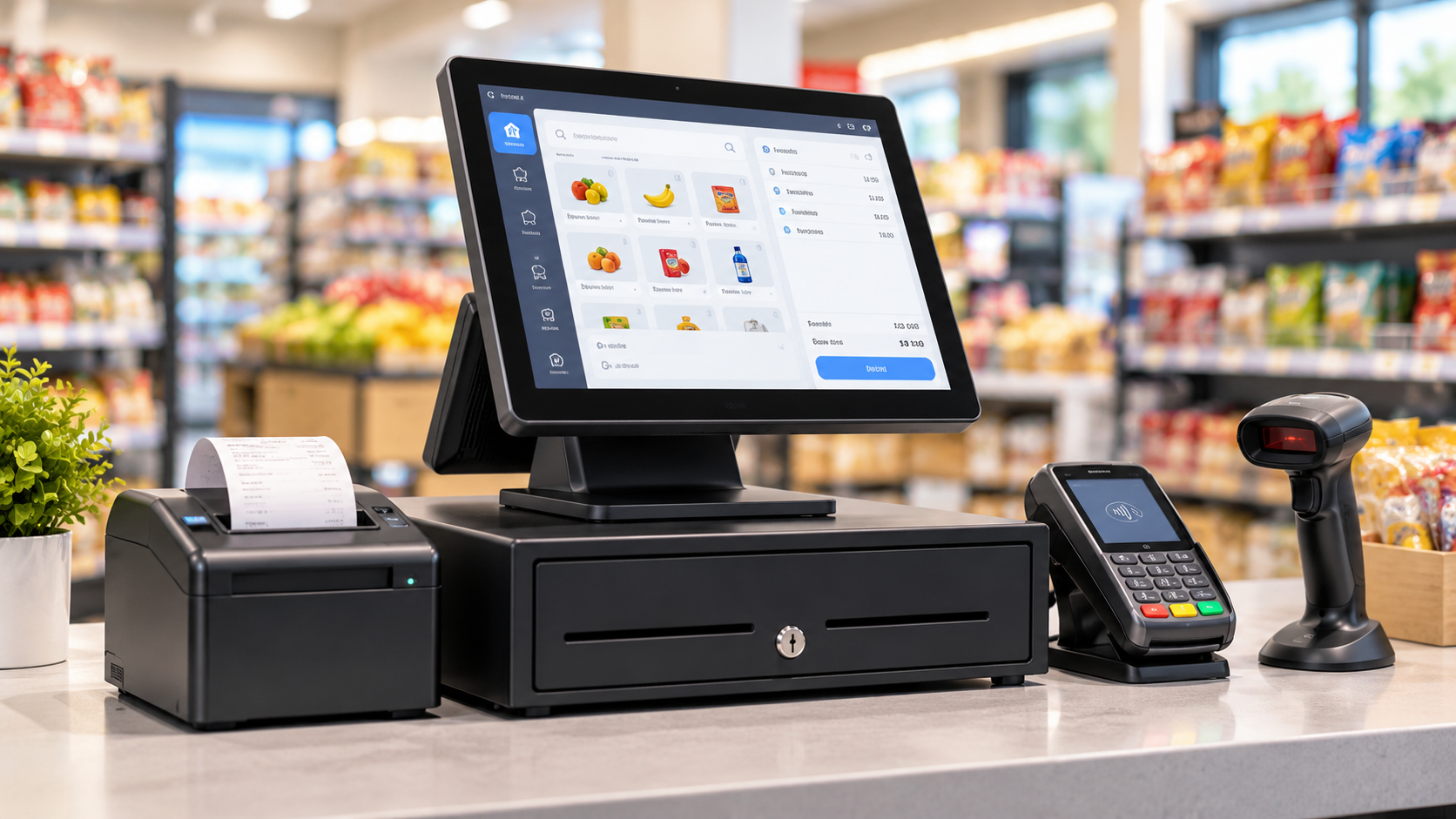
In a shop, café or service centre, a monitor isn’t simply placed on an empty table. Next to it are a payment terminal, a scanner, a receipt printer, a cash drawer, and sometimes even scales and a keyboard. For this reason, compactness matters more than it might appear from a photograph. POS monitors with a screen size of 10–15 inches often suffice for standard checkout tasks, whilst larger models are required where the screen constantly displays a large number of product items or complex menus.
It’s best to view the case in person, or at least examine the photos carefully: check whether the stand wobbles, whether it has a 75×75 or 100×100 mm VESA mount, and whether the cables are neatly routed. At the till, a cable sticking out to the side doesn’t just spoil the look. It gets in the way when tidying up your workspace and sometimes gets caught just when the queue is already getting impatient.
Sensor, brightness and battery life
If you need to buy a POS monitor for a busy till, the touchscreen is no longer just an optional extra, but the main interface. A resistive touchscreen responds to pressure and can be used whilst wearing gloves, but feels less like a mobile phone. A projective-capacitive screen is more precise and feels more natural to the fingers, but is more sensitive to environmental conditions and dirt. Therefore, a touchscreen POS monitor should be chosen based on who will be using it and how, rather than simply on the basis of impressive specifications.
There are a few things worth checking in the settings:
- brightness of 250 cd/m² or more for a standard room, and higher if there is plenty of daylight;
- resolution, for example 1024×768 or Full HD, depending on the screen size and the application;
- the sensor’s service life and the stated number of touches, provided the till operates without any pauses;
- VGA, HDMI and USB ports, and occasionally COM or DisplayPort ports for older equipment;
- Protection of the front panel against splashes, dust and regular wiping.
These figures may not look particularly impressive in an advert, but they are what determine whether a cashier will work quickly or miss the buttons every day because of a dim screen and an awkward angle.
Functionality without unnecessary showiness
In practice, a till monitor should display the necessary information without any unnecessary small print. If the software is outdated and designed for a square aspect ratio, a widescreen display may not always be the best solution. However, if the till software features large buttons, product tiles, a quick search function and product images, a larger screen size or Full HD resolution really do enhance the user experience. There is no one-size-fits-all solution here; it all depends on the software in question.
Before making your choice, it’s a good idea to do a quick check:
- Determine the size of the work area and where the cables will run.
- Check that the monitor’s resolution is compatible with the till software, so that the interface does not appear too small.
- Check which ports are required for the POS computer, terminal or old system unit.
- Assess whether rotation, tilt adjustment or mounting on a wall or stand is required.
Once this check has been carried out, the design no longer conflicts with the function. The screen may be sleek and slim, but it must not require the cashier to be particularly patient.
When the monitor is designed to make an impression on the customer
A separate monitor for POS systems It doesn’t always focus solely on the operator. At some outlets, a second display is placed nearby for the customer, showing the total, bonuses, the order details or promotional messages. Here, appearance carries greater weight: a dirty bezel, a screen with light bleed or a wobbly stand create a sense of untidiness, even if the sale itself proceeds without a hitch.
What’s more, the main screen affects the pace of the interaction. When the cashier can see the items clearly and quickly switch to the right tab without having to double-check every little detail, the customer hardly notices the equipment at all. This is perhaps the greatest compliment one can pay to POS equipment: it doesn’t draw attention to itself because it simply doesn’t get in the way.
Where to find a POS monitor without any unnecessary hassle
Striking a balance between style and functionality is easier said than done. In reality, you need to take into account the screen size, sensor type, ports, mounting options, brightness, app compatibility and the actual space available on your desk. If even one of these factors is missing, a stylish monitor quickly becomes an impractical item on your desk.
At EServer, you can choose a POS monitor for a shop, café, service centre or administrator’s workstation, focusing on practical specifications rather than just appearance. The online shop helps you narrow down your choice by screen size, touchscreen functionality, interfaces and mounting options; it offers express delivery across Ukraine, and for Kyiv, collection from a pick-up point is available.